Teable 3.0: An AI Spreadsheet Built for Business Data, Workflows, and Custom Apps
Business data often starts in a spreadsheet. A customer list, project tracker, inventory sheet, approval log, sales pipeline, or internal operations table can all begin as rows and columns. Over time, though, the same spreadsheet may need to connect with other tools, support workflows, handle permissions, or become part of a larger internal system.
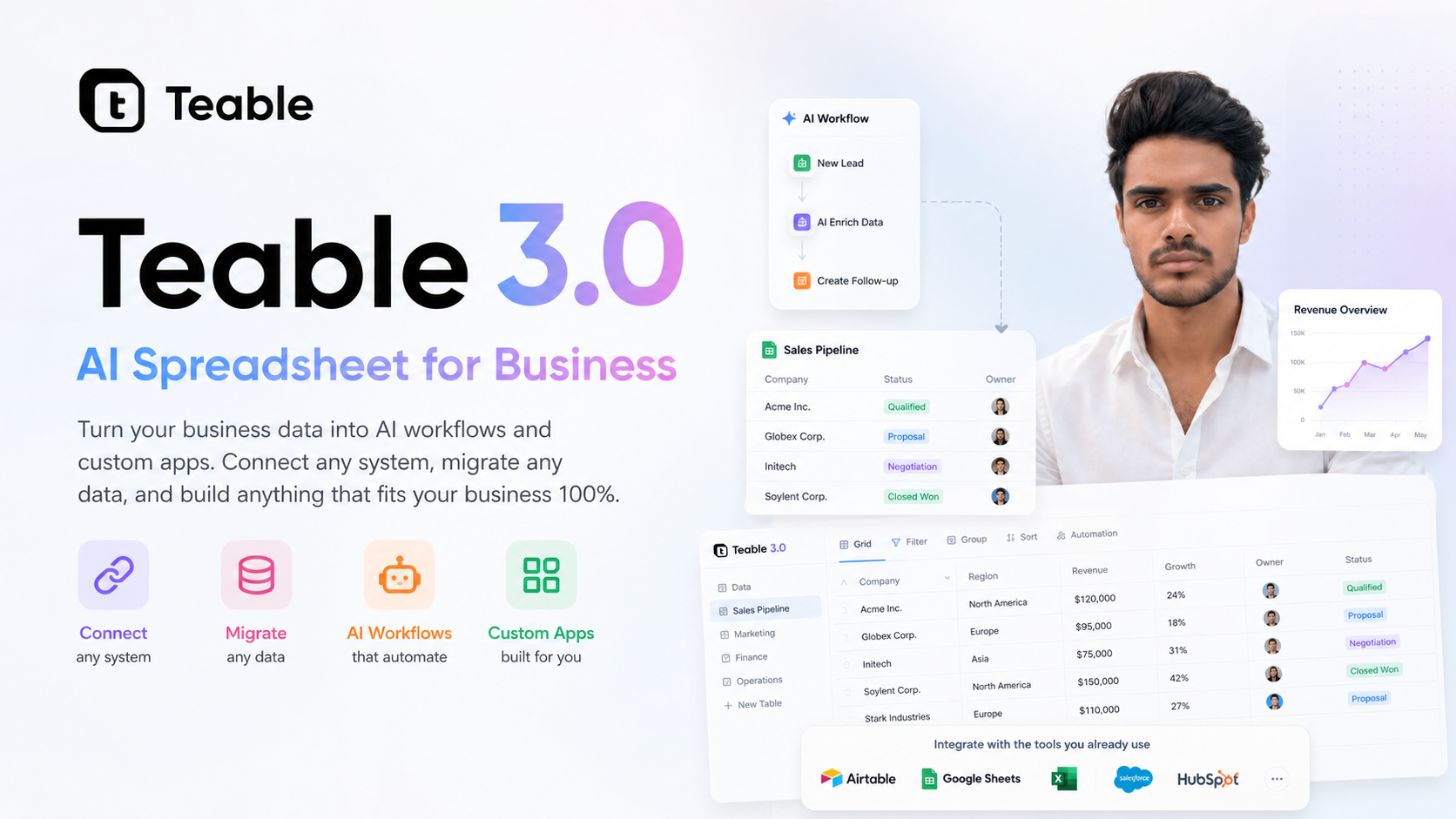
Teable 3.0 is built around that space between a spreadsheet and a business application. It describes itself as an AI Spreadsheet for Business, with the goal of helping teams turn business data into AI workflows and custom apps. The platform is designed for people who want the familiarity of spreadsheets, but also need more structure, automation, and flexibility than a regular spreadsheet usually provides.
The platform can be found at https://teable.ai.
What Is Teable 3.0?
Teable 3.0 is a platform for managing business data in a spreadsheet-like environment while also supporting workflows and application building. Instead of treating a spreadsheet as a static file, Teable is positioned as a workspace where data can be connected, migrated, organized, and used to build processes around real business needs.
The main idea is simple: many teams already understand tables, fields, records, and views. Teable uses that familiar structure as the base, then adds tools that can help business data become more useful across day-to-day work.
According to its positioning, Teable 3.0 focuses on three broad areas:
- Business data management: organizing information in a structured, spreadsheet-like format.
- AI workflows: using data as part of automated or assisted processes.
- Custom apps: building internal tools that fit how a specific business works.
Why This Type of Platform Matters
Many businesses rely on spreadsheets because they are flexible and easy to start with. A spreadsheet does not require a full software project, and almost anyone can understand the basics. The challenge appears when the spreadsheet becomes central to operations.
For example, a team may start by tracking leads in a simple table. Later, they may need to assign owners, send updates, connect with forms, manage follow-ups, filter views by department, or build a dashboard for managers. At that stage, the spreadsheet is no longer just a document. It becomes part of a business workflow.
This is where platforms like Teable 3.0 are relevant. They are designed for cases where business data needs to remain easy to work with, but also needs to support connected systems, migrations, workflows, and custom app experiences.
Core Idea: Spreadsheet Familiarity With App-Like Flexibility
A key part of Teable 3.0 is the spreadsheet-style experience. Rows and columns remain a familiar way to view and edit information. This matters because teams do not always want to move straight into complex enterprise software just to organize operational data.
At the same time, Teable is not only about storing data in tables. Its description highlights the ability to turn data into AI workflows and custom apps. That suggests a wider use case: a business can use its structured data as the foundation for repeatable processes and internal tools.
In practical terms, this type of setup may be useful for data such as:
- Customer or contact records
- Project and task tracking
- Sales pipeline information
- Inventory or asset lists
- Content calendars and production workflows
- Hiring or onboarding pipelines
- Internal requests and approvals
- Operations checklists and logs
The exact use depends on how a team structures its data and what it wants to build around that data.
AI Workflows Based on Business Data
Teable 3.0 places AI workflows at the center of its message. The important point here is that AI is connected to business data, rather than existing as a separate chat tool or isolated assistant.
When business data is organized in a structured way, it can become easier to use in workflows. For example, a team may want to summarize records, classify incoming information, prepare responses, trigger next steps, or help users work through repetitive tasks. The value of this kind of workflow depends on the quality and structure of the data being used.
Teable’s approach appears to focus on making business data usable for these AI-assisted processes within the same broader environment where the data is managed. That can reduce the need to move information between multiple separate tools for every task.
Custom Apps for Specific Business Needs
Another major part of Teable 3.0 is custom app building. Businesses often have workflows that do not fit perfectly into off-the-shelf tools. A sales team may need a simple internal CRM. An operations team may need a custom request tracker. A content team may need an editorial system that reflects its own approval process.
Custom apps can help turn structured data into a more focused experience for different users. Instead of everyone working directly inside a large table, a team can create interfaces or tools that match the way a process works.
This can be useful when different people need different ways to interact with the same underlying data. For example:
- Managers may need overview dashboards or status views.
- Team members may need task-specific screens or filtered lists.
- Operations staff may need forms, approvals, or tracking views.
- External collaborators may need limited access to selected information.
The aim is not just to store data, but to make it usable in the context of real work.
Connecting Systems and Migrating Data
Teable 3.0 also highlights the ability to connect systems and migrate data. This is important because business information rarely lives in one place. It may be spread across spreadsheets, databases, forms, CRMs, project management tools, and other internal systems.
A platform that supports connection and migration can help teams bring data into a more usable structure. This may be relevant when a business is moving away from scattered spreadsheets, consolidating operational records, or trying to build a more organized internal workflow.
Data migration is often one of the harder parts of adopting any new system. Clean field structures, consistent record formats, and clear relationships between data all matter. Teable’s focus on migration and connected systems suggests that it is intended for real business environments where existing data already exists and needs to be brought into a workable setup.
Possible Use Cases
Teable 3.0 can be understood as a flexible platform rather than a tool for only one department. Because it starts with business data, many types of teams may be able to shape it around their own processes.
Some possible use cases include:
- Internal CRM: managing contacts, companies, opportunities, follow-ups, and relationship notes.
- Project operations: tracking projects, owners, deadlines, milestones, and updates.
- Content workflow: organizing topics, drafts, approvals, publishing dates, and responsible team members.
- Inventory management: maintaining product, asset, or stock information in structured tables.
- Hiring pipeline: managing candidates, interview stages, feedback, and hiring decisions.
- Request management: collecting, assigning, and tracking internal requests from different teams.
- Custom dashboards: creating views that make business data easier to review and act on.
These examples are general, but they show the type of problems a spreadsheet-plus-app platform is meant to address.
Who May Find It Relevant?
Teable 3.0 may be relevant for teams that already depend on spreadsheets but are starting to need more structure around their data. It may also be relevant for businesses that want to build internal tools without starting every workflow from a traditional software development process.
Typical users could include operations teams, founders, project managers, sales teams, support teams, agencies, and business teams that manage recurring processes. Technical teams may also be involved when integrations, migrations, or more advanced data structures are needed.
The platform’s usefulness depends on the specific workflow, the data involved, and how much customization a team requires.
Things to Consider Before Using It
Before moving business data into any new platform, it is worth looking at the structure of the existing data and the goals of the workflow. A clear plan can help avoid recreating the same spreadsheet problems in a new place.
Useful questions include:
- What data needs to be managed?
- Where does the current data live?
- Who needs access to it?
- What workflows should happen around the data?
- Which systems need to connect with it?
- What custom apps or views would make the work easier?
- How should data quality, permissions, and long-term maintenance be handled?
These questions apply to Teable and to any platform used for operational business data.
Final Thoughts
Teable 3.0 brings together several ideas that are becoming more common in modern business software: spreadsheet-style data management, AI-assisted workflows, system connections, data migration, and custom internal apps.
Its main purpose is to help teams move beyond static spreadsheets while keeping the familiar table-based way of working. For businesses that need structured data to support real workflows, Teable 3.0 is a platform worth understanding as part of the growing category of flexible business data tools.
More information is available on the official website: https://teable.ai.