PlugThis: A Plain-English Builder for Custom Chrome Extensions
Many useful browser tools begin with a small annoyance. A repetitive task takes a few minutes every day. A website needs a tiny shortcut. A workflow could be smoother if the browser did one extra thing automatically. Sometimes there is already a Chrome extension that solves the problem. Other times, the exact tool is not available, or the available options do too much, too little, or something slightly different.
PlugThis is a platform built around that specific gap. Instead of focusing on general web apps, it focuses on creating Chrome extensions. The basic idea is simple: describe the extension you want in plain English, then use the platform to build and adjust it.
The platform is available at https://plugthis.ai.
What Is PlugThis?
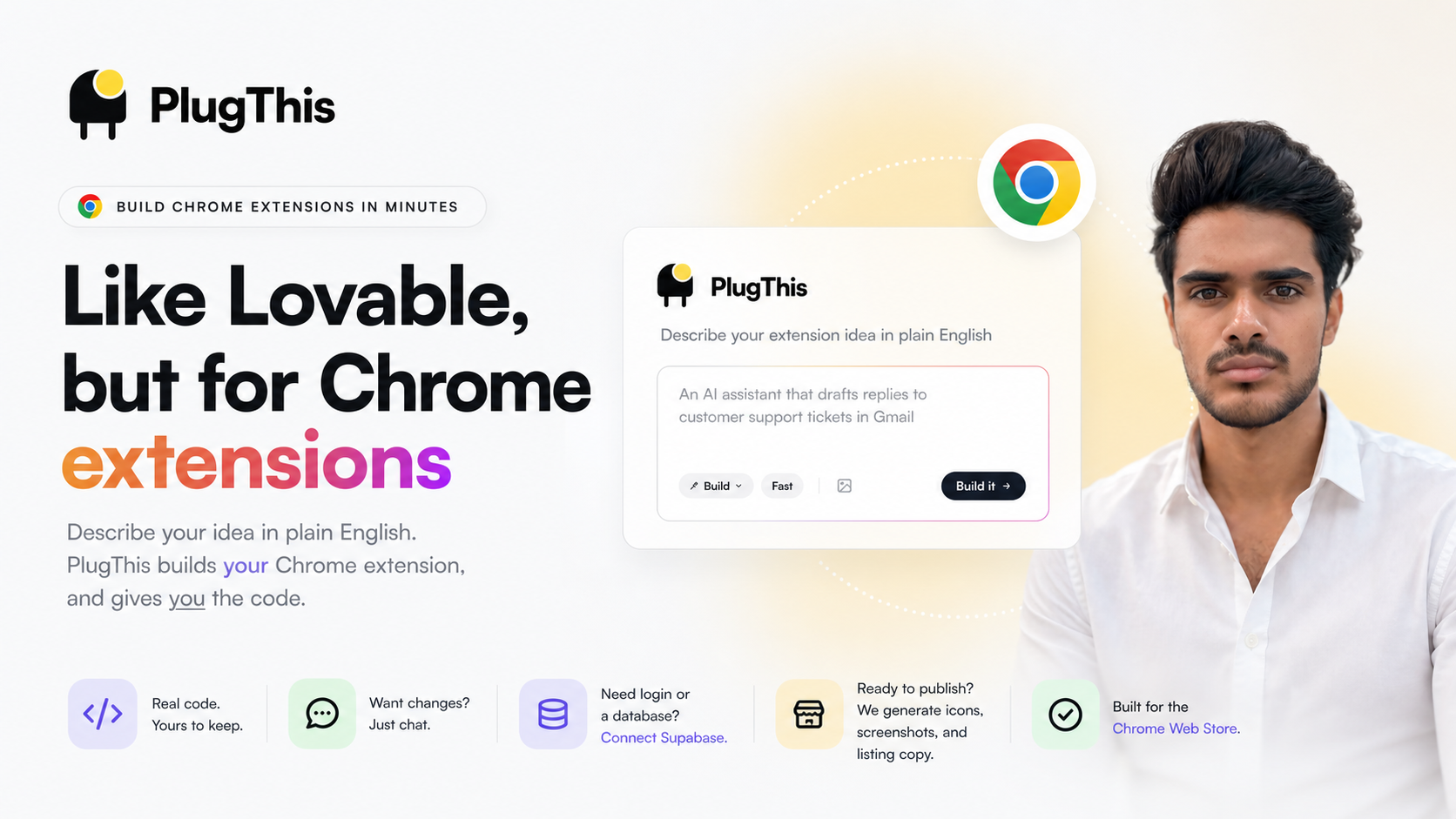
PlugThis is described as a tool for building Chrome extensions from natural language prompts. Its tagline, “Like Lovable, but for Chrome extensions,” gives a clear idea of its positioning. While many no-code and AI-assisted tools focus on building websites, dashboards, or web apps, PlugThis is aimed specifically at browser extensions.
This focus matters because Chrome extensions are different from standard web apps. They often interact with browser tabs, web pages, toolbars, popups, background scripts, and user permissions. A simple extension might add a button, modify a page, summarize visible content, save text, or automate a repeated browser action. PlugThis is intended to help create these kinds of browser-based tools without starting from a blank code editor.
The Problem It Tries to Solve
The Chrome Web Store contains many extensions, but it does not cover every personal workflow. People often want something highly specific, such as a helper for a niche website, a small productivity shortcut, or a custom tool that matches the way they already work.
Common situations where a custom extension may be useful include:
- Repeating the same browser action every day
- Copying or formatting information from websites
- Adding a small interface element to a page
- Saving content into a personal system
- Creating a workflow tool for a team or internal process
- Reducing manual steps across frequently used websites
In these cases, searching the Chrome Web Store may not lead to the exact tool needed. Building an extension manually is possible, but it requires knowledge of Chrome extension structure, JavaScript, permissions, manifests, browser APIs, and packaging. PlugThis sits between those two options: instead of finding an existing extension or writing one completely from scratch, the user describes what they want the extension to do.
How PlugThis Works at a High Level
The central workflow is based on describing the desired Chrome extension in plain English. For example, instead of writing technical specifications first, a user can explain the task they want handled. PlugThis then builds the extension based on that description.
After the initial version is created, changes can be made through chat. This is useful because most small tools need some adjustment after the first version. A button may need to appear in a different place, the extension may need to collect a different piece of data, or the workflow may need an extra step.
Based on the platform description, the general flow looks like this:
- Describe the extension: Explain the desired browser tool in normal language.
- Generate the extension: PlugThis builds a Chrome extension from the description.
- Make changes through chat: Adjust the behavior, interface, or workflow through conversation.
- Connect backend services if needed: If login or a database is required, Supabase can be connected.
- Prepare for publishing: The platform can generate icons, screenshots, and listing copy required for the Chrome Web Store.
Code Ownership
One notable detail is that PlugThis states that the code is yours. This is important for people who care about having access to what is being built, rather than only using a hosted tool with no way to inspect or modify the underlying project.
For custom browser extensions, code ownership can matter for several reasons. A user may want to review what the extension does, keep a copy of the project, make future edits, or hand it to a developer later. It can also be relevant when building internal tools for a business, where control over code and functionality may be part of the decision-making process.
Supabase Support for Login and Databases
Some Chrome extensions are simple and do not need accounts, storage, or backend services. Others need more structure. For example, an extension may need to let users log in, save preferences, store collected information, or sync data across sessions.
PlugThis mentions support for connecting Supabase when login or a database is needed. Supabase is commonly used as a backend service for authentication, databases, and storage. In the context of a Chrome extension builder, this kind of connection can make it possible to build extensions that go beyond one-time browser actions.
Examples of extensions that may need a backend include:
- A personal clipping tool that saves information to a database
- A team tool that requires user accounts
- An extension that stores structured notes or records
- A workflow assistant that syncs information between devices
- A tool that needs user-specific settings or saved history
Help With Chrome Web Store Assets
Publishing a Chrome extension involves more than just having working code. The Chrome Web Store listing requires supporting materials such as icons, screenshots, and listing text. These details can slow down the publishing process, especially for people who are building a small utility and do not want to spend extra time preparing store assets.
PlugThis includes generation of icons, screenshots, and listing copy that the store asks for. This does not replace the need to review everything carefully before submission, but it addresses a practical part of the extension-building process that is easy to overlook.
Who Might Find It Useful?
PlugThis is aimed at people who can describe the browser tool they need but may not want to build it manually from the ground up. That could include individuals, freelancers, small teams, operators, marketers, researchers, or anyone with repetitive browser-based work.
Potential use cases include:
- Personal productivity: Creating shortcuts for daily browser tasks.
- Research workflows: Capturing, organizing, or formatting information from web pages.
- Internal business tools: Helping teams interact with web-based systems more efficiently.
- Data entry support: Reducing repeated copying, pasting, or formatting work.
- Website-specific helpers: Adding custom functionality to frequently used websites.
The platform is especially relevant when the desired tool is too specific to exist as a general-purpose Chrome extension. It may also be useful when an existing extension is close but not quite aligned with the workflow.
Things to Consider Before Building a Chrome Extension
Even when a tool helps with creation, Chrome extensions require some careful thinking. Extensions can interact with web pages and browser data, so permissions, privacy, and security should be reviewed. If an extension is intended for public release, the Chrome Web Store requirements also need attention.
Before creating an extension, it helps to define:
- What exact task the extension should perform
- Which websites or pages it should work on
- What permissions it may need
- Whether it needs to store any user data
- Whether login or database features are required
- Whether the extension is for personal use, team use, or public publishing
A clear description can make the building process smoother. Instead of saying only “make my workflow faster,” it is better to describe the steps involved, what should happen automatically, and what the final result should look like.
Final Overview
PlugThis is a focused platform for creating Chrome extensions from plain-English descriptions. Its main distinction is that it is not presented as a general web app builder. It is centered on browser extensions, including the process of building, revising through chat, connecting Supabase when needed, and preparing Chrome Web Store materials.
For people who frequently work inside the browser, small custom extensions can be practical tools. PlugThis addresses the situation where the right extension does not already exist and where building one manually may be more effort than the task seems to justify.
The platform can be found at https://plugthis.ai.