Omniwork: A Closer Look at a Desktop AI Agent Platform for Creative Work
Creative work often involves more than one task. A single project may require research, writing, planning, monitoring updates, organizing files, checking progress, and turning rough ideas into something usable. Omniwork is a platform built around that reality.
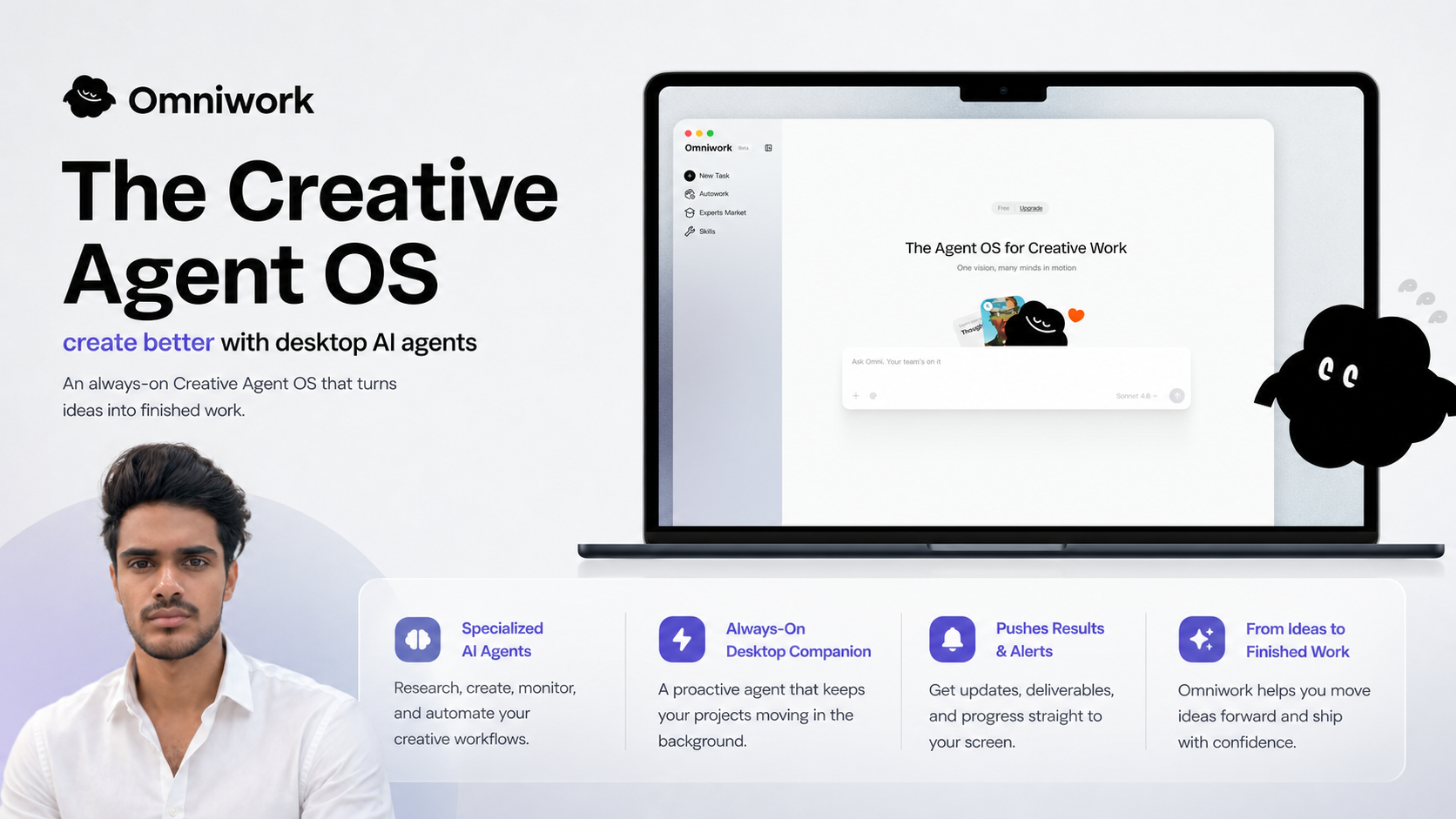
Omniwork describes itself as The Creative Agent OS, with a focus on desktop AI agents that help people create better and keep projects moving. Instead of presenting AI as a single chat box, Omniwork is positioned as an always-on workspace where specialized agents can research, create, monitor, and automate parts of a creative workflow.
This article takes a simple look at what Omniwork is, what kind of problems it is trying to solve, and how the idea of a desktop AI companion fits into personal and professional work.
What Is Omniwork?
Omniwork is an AI-powered platform designed around creative workflows. Its main idea is to turn ideas into finished work by using specialized AI agents. These agents are intended to handle different kinds of tasks, such as research, creation, monitoring, and automation.
The platform is described as an always-on Creative Agent OS. In practical terms, that means Omniwork is not only focused on generating content on demand. It is also built around the idea of continuous assistance. A proactive desktop companion can keep track of activity, send progress updates, surface alerts, and push results directly to the user’s screen.
This makes Omniwork different from tools that only respond when a user enters a prompt. Its positioning is more about maintaining momentum across a project, especially when there are several moving parts.
The Main Idea Behind a Creative Agent OS
The phrase Creative Agent OS suggests a workspace where AI agents help coordinate creative work. It does not need to be understood as a replacement for a computer operating system. Instead, it points to a layer that helps manage and support creative tasks across the desktop.
Many people already use a mix of tools for their work: browsers, note-taking apps, design tools, writing software, project trackers, calendars, and communication platforms. The challenge is that the work often becomes scattered. Research may live in one place, drafts in another, and updates somewhere else.
Omniwork’s approach is centered on agents that can support the flow between those tasks. The goal is not just to produce a single output, but to help keep the process active from idea to completion.
What Omniwork’s AI Agents Are Designed to Do
Based on how the platform is described, Omniwork’s agents focus on several broad areas of creative work. These include:
- Research: Helping gather or organize information needed for a project.
- Creation: Supporting the process of turning ideas into written, visual, strategic, or other creative outputs.
- Monitoring: Keeping an eye on progress, updates, or changes that may matter to a workflow.
- Automation: Reducing repetitive steps so the user does not have to manually manage every part of a project.
- Progress updates: Sending alerts, results, and status information directly to the desktop.
These categories are broad, but they reflect the kinds of tasks that often slow down creative work. Even when the core idea is clear, projects can lose momentum because of small operational steps. An agent-based system aims to handle some of those steps in the background.
The Role of the Desktop Companion
One of the notable parts of Omniwork’s description is the proactive desktop companion. This suggests that the platform is designed to stay present while the user works, rather than being opened only for isolated tasks.
A desktop companion can be useful in workflows where timing and continuity matter. For example, a creator or professional may start with an idea, ask for research, move into drafting, and then need updates or reminders as the work develops. Instead of repeatedly checking for progress, the desktop companion can push relevant information to the screen.
This type of interaction is different from a traditional AI assistant that waits for every instruction. Omniwork’s positioning points toward a more active assistant that helps keep projects from becoming inactive or forgotten.
Where Omniwork May Fit in Daily Work
Omniwork is described for creative workflows, but creative work can mean many things. It may involve content, design, strategy, planning, product thinking, research, marketing, documentation, or other idea-based work.
Some possible areas where a platform like Omniwork may fit include:
- Content planning: Organizing ideas, research, drafts, and updates around articles, newsletters, campaigns, or social content.
- Research-heavy projects: Tracking information and turning collected material into usable direction.
- Creative production: Moving from rough ideas to more developed assets, outlines, briefs, or deliverables.
- Project monitoring: Keeping visibility on progress and receiving alerts when something needs attention.
- Workflow automation: Handling repeated tasks that do not require constant manual input.
These examples are not limited to one profession. Writers, designers, founders, marketers, consultants, and independent creators often deal with workflows that combine thinking, making, and managing. Omniwork is built around that overlap.
Why Agent-Based Workflows Are Becoming More Relevant
AI tools have often been used for individual tasks: write a paragraph, summarize a document, generate ideas, or answer a question. Agent-based workflows take a broader approach. They are built around the idea that different agents can take responsibility for different parts of a process.
For creative work, this matters because projects rarely happen in one step. A finished piece of work may require background research, outlining, drafting, checking details, organizing notes, and preparing final materials. If an AI system can assist across several of those stages, it can become part of the workflow rather than just a separate tool.
Omniwork’s description reflects this shift. It focuses on agents that do more than respond once. The platform emphasizes ongoing support, monitoring, and automation, which are important when work needs to move forward over time.
What to Keep in Mind When Exploring Omniwork
As with any AI platform, it is helpful to understand what it is designed to do before deciding how it might fit into a workflow. Omniwork is presented as a desktop AI agent system for creative work, so it is most relevant for people who regularly move ideas through multiple stages.
When looking at a platform like this, a few practical questions can help:
- What parts of the current workflow are repetitive or slow?
- Which tasks require research, monitoring, or regular follow-up?
- Where does work usually lose momentum?
- Would desktop alerts and progress updates reduce the need to check multiple places?
- Can agent-based assistance fit naturally into the existing tools and habits?
These questions are useful because the value of an AI agent platform depends on the workflow around it. A person with many ongoing creative tasks may use it differently from someone who only needs occasional AI help.
A Platform Built Around Creative Momentum
Omniwork is centered on a clear concept: helping creative work move from idea to completion with the support of specialized desktop AI agents. Its always-on approach, proactive companion, and focus on research, creation, monitoring, and automation place it in the growing category of agent-based productivity tools.
The platform is not just about generating text or answering questions. It is about supporting the broader process of getting work done, especially when projects involve multiple steps and ongoing attention.
For people interested in understanding how AI agents are being applied to creative workflows, Omniwork is one platform worth knowing about. More details are available on the official website: https://www.omniwork.ai.