SKI: A Voice Layer for Working With Coding Agents on Your Desktop
Voice interfaces are becoming more common in everyday software, but coding has usually remained a keyboard-first activity. Developers may use voice notes, meeting transcripts, or dictation tools, yet the actual process of building software still often depends on typing prompts, reading responses, switching windows, and managing context manually.
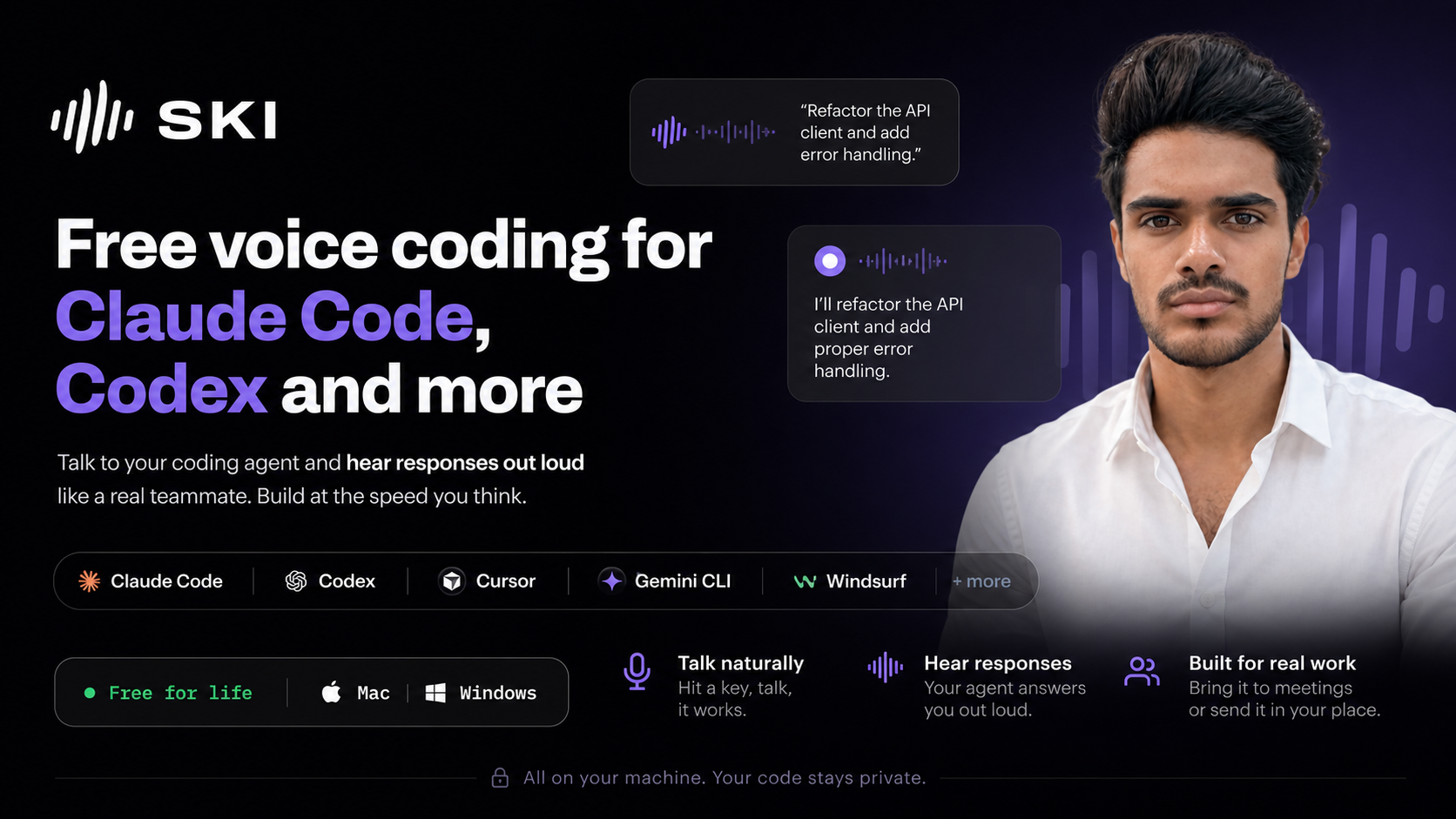
SKI is a desktop tool built around a different approach. It adds a voice layer to coding agents such as Claude Code, Codex, and similar tools. Instead of simply converting speech into text, SKI is designed so the coding agent can respond out loud, creating a more conversational workflow between the developer and the assistant.
The platform is available for Mac and Windows, runs on the user’s machine, and is presented as free. Its website is https://heyski.io.
What Is SKI?
SKI is a voice coding tool for developers who use agent-based coding environments. The basic idea is straightforward: keep SKI running on the desktop, press a key when needed, speak to the coding agent, and continue the interaction through voice.
It is important to separate this from standard dictation. Dictation tools usually take spoken words and place them into a text field. SKI is positioned more like an ambient voice interface for an AI coding teammate. The agent can answer out loud, which means the interaction does not have to depend entirely on reading text output on screen.
This can be relevant for people who already use coding agents for tasks such as:
- Explaining unfamiliar code
- Planning a change before editing files
- Asking for implementation steps
- Reviewing generated code
- Debugging errors or unexpected behavior
- Working through a task while keeping hands on the keyboard
SKI sits alongside those coding tools rather than replacing them. Its role is to make the interaction more voice-driven and conversational.
How SKI Differs From Basic Voice Dictation
Many people are already familiar with voice dictation. A user speaks, the software transcribes the speech, and the resulting text appears in a document, chat box, or input field. That can be useful, but it does not change the overall structure of the workflow very much.
SKI is presented as something more interactive. The agent is not only receiving spoken instructions; it can also respond audibly. This creates a loop where the developer can ask a question, hear the answer, clarify the request, and continue working without making every exchange a text-only interaction.
For coding, that difference matters because developer-agent conversations are often iterative. A person might start with a broad request, then narrow it down after hearing an explanation. They might ask the agent to inspect an issue, wait for the response, then ask a follow-up. When this happens through voice, the process can feel closer to discussing a problem with another person in the room.
Designed for Coding Agents Like Claude Code and Codex
SKI is built for workflows involving tools such as Claude Code, Codex, and other coding agents. These tools are commonly used to help with code generation, file edits, explanations, and project-level tasks. SKI adds a voice-based layer on top of that interaction.
This matters because many AI coding workflows now involve more than short prompts. Developers may ask an agent to inspect a codebase, make a change, run through a plan, or explain why a certain error is occurring. As these workflows become more conversational, voice can provide another way to manage the back-and-forth.
Rather than focusing only on writing code aloud, SKI appears to focus on the broader interaction around coding: asking, clarifying, listening, and coordinating with the agent while work is in progress.
An Ambient Desktop Tool
One of the notable parts of SKI’s design is that it is described as an ambient desktop tool. It is not presented as a large workspace that requires a separate environment. Instead, it sits on the desktop and can be activated with a key.
That kind of setup can fit into existing development habits more easily than tools that require a complete workflow change. A developer may already have an editor, terminal, browser, documentation, and an AI coding tool open. SKI’s purpose is to add voice interaction into that setup.
The workflow can be summarized simply:
- Keep SKI available on the desktop
- Press a key to start speaking
- Talk to the coding agent naturally
- Listen to the agent’s spoken response
- Continue the task with voice, keyboard, or both
This setup may be especially relevant for people who prefer to think through problems verbally or who want to reduce constant context switching between reading, typing, and prompting.
Possible Uses During Development
SKI can be understood as a tool for making agent interaction more conversational during software development. Some practical scenarios include talking through a feature before implementation, asking for a summary of what the agent is doing, or clarifying a technical decision while staying focused on the code editor.
For example, a developer working on a bug could ask the agent to explain likely causes, listen to the response, then ask it to check a specific file or suggest a fix. A person reviewing a generated change could ask the agent to summarize what was modified. Someone planning a refactor could speak through the structure of the change before asking the agent to begin.
Because the agent can answer out loud, the tool may also make sense in moments where reading a long response is not ideal. Spoken feedback can help keep the exchange moving, especially when the response is more explanatory than code-heavy.
Use in Meetings and Live Building Sessions
SKI also includes an interesting meeting-related angle. It can be brought into a meeting to support live building, and it is described as being able to speak for the user in that setting.
In a live building session, this could mean a developer uses voice to direct the coding agent while discussing the task with others. Instead of silently typing prompts into an agent, the interaction can happen out loud. That can make the agent’s role in the session more visible to participants.
The idea of sending it in a user’s place to speak for them is another part of the platform’s positioning. The available description does not provide a detailed breakdown of how this works, so it is best understood at a high level: SKI is not limited to private coding sessions and is also intended to support spoken interaction in collaborative contexts.
Platform Availability and Cost
SKI is available for both Mac and Windows. It is also described as running on the user’s machine. For developers who work across different operating systems, support for both major desktop platforms is useful to note.
The platform is presented as free. Since pricing and product details can change over time, anyone interested in the current version should check the website directly for the latest information.
The clean website link is: https://heyski.io.
Who Might Want to Understand SKI?
SKI is most relevant to people who already work with AI coding agents or are exploring them. It is not a general-purpose code editor, and it is not simply a speech-to-text utility. Its focus is on adding voice-based interaction to agentic coding workflows.
It may be worth understanding for:
- Developers using Claude Code, Codex, or similar coding agents
- People who prefer talking through technical problems
- Teams experimenting with live AI-assisted development
- Builders who want less text-only interaction with their coding assistant
- Users looking for a desktop-based voice layer for coding workflows
At the same time, SKI is still centered on the coding-agent experience. People who do not use those tools may not see the same value from a voice layer until they adopt an agent-based workflow.
Final Thoughts
SKI represents a specific shift in how people can interact with coding agents: from typing and reading every exchange to speaking and listening as part of the development process. It is not positioned as dictation, but as a voice interface where the agent can respond out loud and participate more like a teammate in the workflow.
For developers and teams following the evolution of AI-assisted programming, SKI is a platform to be aware of because it focuses on the interaction layer rather than only the code generation layer. As coding agents become more capable, tools that make communication with those agents feel more natural may become an important part of the development environment.
More information is available at https://heyski.io.