Guideflow: A Simple Way to Turn SaaS Products Into Interactive Demos
For many SaaS companies, explaining a product clearly is not always easy. A landing page can describe features, a sales call can answer questions, and a video can show a workflow, but none of these fully replace the experience of actually using the product. This is where interactive product demos have become useful.
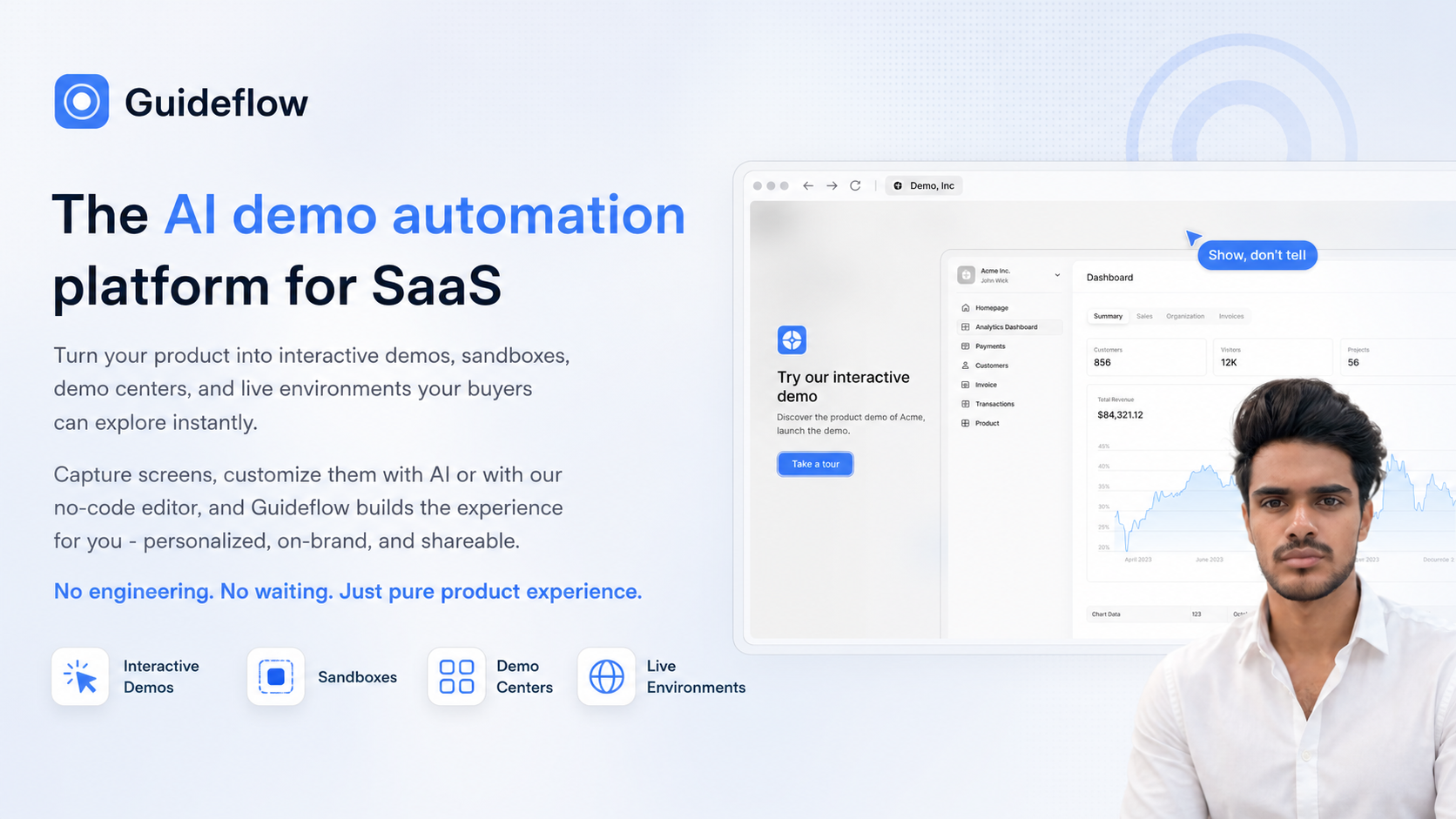
Guideflow is a platform built for creating those interactive experiences. It describes itself as an AI demo automation platform for SaaS, helping teams turn their products into interactive demos, sandboxes, demo centers, and live environments that potential buyers can explore instantly.
The platform is available at https://guideflow.com.
What Is Guideflow?
Guideflow is designed to help SaaS companies create product experiences that are easier to share and easier for buyers to understand. Instead of relying only on static screenshots, long videos, or live walkthroughs, Guideflow lets teams create interactive demos from product screens.
The general idea is simple: capture screens from a product, customize them, and turn them into a guided or explorable experience. These experiences can then be shared with prospects, customers, or internal teams.
According to its positioning, Guideflow is built to reduce the need for engineering involvement when creating demo environments. This matters because product demos often require time from developers, designers, sales engineers, or product teams. A no-code approach can make the process easier for non-technical teams that need to create and update product experiences regularly.
What Guideflow Helps Create
Guideflow is not limited to one type of demo format. It focuses on several product experience formats that are commonly used in SaaS sales, marketing, onboarding, and education.
Interactive Demos
Interactive demos allow someone to move through a product experience step by step. Instead of watching a video passively, a visitor can click, explore, and understand how a workflow looks inside the product.
This can be useful when a product has specific flows that are easier to understand visually, such as dashboards, settings, analytics pages, onboarding steps, or feature walkthroughs.
Sandboxes
A sandbox experience gives users a way to explore a product-like environment without needing access to a live account. For SaaS teams, this can help reduce friction when buyers want to see how a product works before committing to a full trial or live demo.
Sandboxes can also be useful when the real product requires setup, data, permissions, or integrations that would be difficult to prepare for every prospect.
Demo Centers
A demo center is a central place where multiple product experiences can be organized and shared. This can help companies present different use cases, features, industries, or customer journeys in one place.
For example, a SaaS company may have one demo for administrators, another for end users, and another for a specific feature. A demo center can make these experiences easier to access and navigate.
Live Environments
Guideflow also mentions live environments as part of its product experience offering. In a SaaS context, this can help teams create more realistic demo experiences that feel closer to the actual product, while still being structured for buyer exploration.
How Guideflow Works at a High Level
The process behind Guideflow is centered around capturing, customizing, and sharing product experiences. While every team may use it differently, the basic workflow can be understood in a few steps.
- Capture product screens: Teams start by capturing screens from their product or workflow.
- Customize the experience: The captured screens can be adjusted using AI or a no-code editor.
- Create a guided demo: Guideflow builds the interactive experience from the captured and customized screens.
- Personalize and brand it: The demo can be shaped to match the company’s branding and the audience it is intended for.
- Share it with others: The finished experience can be shared so buyers or users can explore it instantly.
This type of workflow is meant to help teams move faster when creating demos, especially when product screens change or when different audiences need slightly different versions of the same product story.
Why Interactive Product Experiences Matter
In SaaS, buyers often want to understand a product before speaking to a sales team or signing up for a trial. They may want to see the interface, understand the flow, or check whether the product matches their use case.
Traditional content does not always answer these questions fully. A written page can explain what a feature does, but it may not show how the feature works in context. A video can show the product, but the viewer cannot interact with it. A live demo can be helpful, but it requires scheduling and preparation.
Interactive demos sit somewhere in between. They can give visitors a product-like experience without requiring them to create an account, wait for a call, or configure anything themselves.
For SaaS teams, this can be useful in several areas:
- Sales: Sales teams can share relevant demos with prospects before or after a conversation.
- Marketing: Marketing teams can embed or link product experiences from campaigns, landing pages, or content.
- Product education: Teams can explain new features or workflows in a more visual way.
- Customer onboarding: Customers can be guided through common workflows without needing a live session every time.
- Internal enablement: Teams can use interactive demos to train sales, support, or customer success teams on product flows.
No-Code Editing and AI Customization
One of the important parts of Guideflow’s description is its no-code editor. This suggests that people who are not developers can create and adjust product demos without writing code or waiting for engineering support.
For SaaS companies, this can be helpful because demo needs often change. A product update may require a new flow. A sales team may need a version of a demo for a specific buyer segment. A marketing campaign may need a shorter, more focused product walkthrough. If every update requires engineering work, creating demos can become slow.
Guideflow also mentions AI-based customization. In this context, AI is positioned as a way to help customize captured screens or shape the demo experience. The goal is to reduce manual work while still allowing teams to create demos that feel personalized and aligned with the brand.
Personalized, On-Brand, and Shareable Experiences
A product demo is not only about showing screens. It also needs to feel relevant to the audience. Guideflow focuses on creating experiences that can be personalized, branded, and shared.
Personalization can help when different audiences care about different parts of the product. A buyer in one industry may need to see a different workflow than a buyer in another industry. A technical decision-maker may want to explore different areas than a business stakeholder.
Branding helps the demo feel consistent with the company’s website, sales materials, and product identity. This can make the experience feel more polished and less disconnected from the rest of the buyer journey.
Shareability is also important. A demo that can be shared easily can continue working after a sales call, inside a buying committee, or across a customer team. In B2B SaaS, decisions often involve multiple people, and not everyone attends the same meeting. A shareable product experience can help more people understand the product at their own pace.
Who Might Use Guideflow?
Guideflow is aimed at SaaS companies, especially teams that need to show their product frequently. It may be relevant for different roles across a company, depending on how the product is sold, marketed, and supported.
- Sales teams that want to send interactive product walkthroughs to prospects.
- Marketing teams that want to add product-led experiences to campaigns or landing pages.
- Product marketing teams that need to communicate features and use cases clearly.
- Customer success teams that want to guide customers through workflows.
- Founders or small teams that need product demos but do not have dedicated demo engineering resources.
The common theme is that these teams need a practical way to let people experience the product without always depending on live calls, trial accounts, or engineering-built demo environments.
Final Thoughts
Guideflow fits into a growing category of tools focused on product-led experiences. Instead of only telling people what a SaaS product does, it helps teams create interactive ways for people to explore the product themselves.
Its focus is clear: capture product screens, customize the experience with AI or a no-code editor, and turn it into demos, sandboxes, demo centers, or live environments that can be shared. For SaaS teams that often need to explain product value visually, this type of platform can make the demo creation process more accessible and less dependent on engineering time.
More details can be found on the official website: https://guideflow.com.