Stitch 2.0 by Google: A Practical Look at AI-Native UI Design
Designing a user interface usually involves several steps: writing down an idea, creating rough layouts, turning those layouts into high-fidelity screens, adjusting styles, preparing prototypes, and often handing work over to developers. Stitch 2.0 by Google is built around the idea of making that process more direct by using AI as part of the design workflow from the beginning.
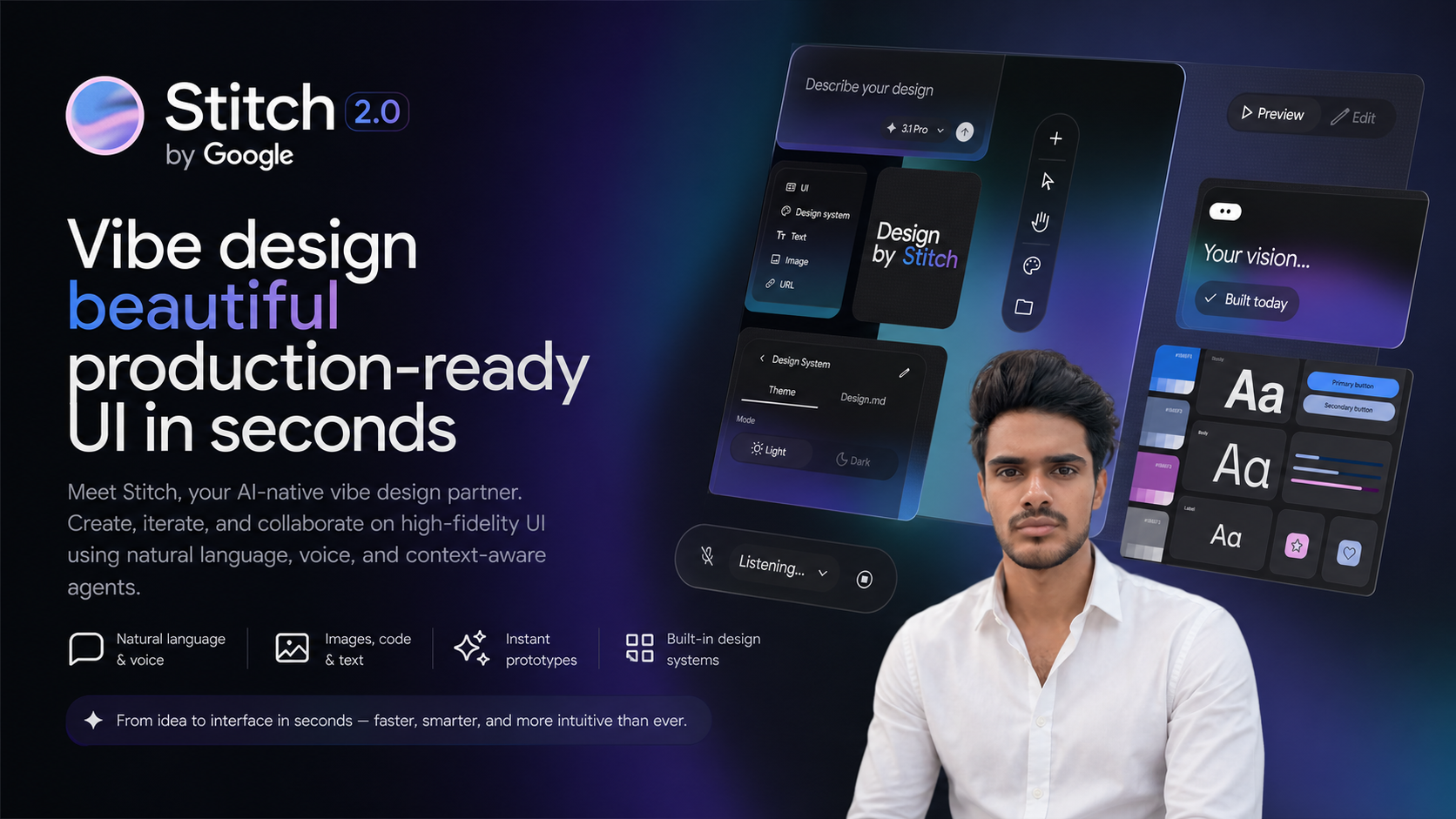
Stitch 2.0 is described as an AI-native vibe design partner for creating production-ready user interfaces in seconds. In simple terms, it lets users describe what they want, work across different types of input, and generate polished UI concepts without starting from a blank canvas every time.
The platform is part of Google Labs and can be explored here: Stitch 2.0 by Google.
What Is Stitch 2.0?
Stitch 2.0 is a design platform that uses artificial intelligence to help create and iterate on user interfaces. Instead of relying only on manual layout tools, users can work with natural language, voice, images, text, and code in a shared canvas.
The platform is aimed at high-fidelity UI creation, which means it is not limited to basic wireframes or rough sketches. It focuses on interface designs that look closer to something a product team could review, test, or turn into a working prototype.
One of the central ideas behind Stitch is that design work can begin with a simple description. A user might explain the type of screen they need, the product they are building, or the style they want to explore. Stitch can then generate a visual interface from that context and allow further changes through conversation or additional inputs.
Why It Stands Out
Many design tools already help teams create layouts, components, and prototypes. Stitch 2.0 is different in the way it places AI at the center of the design process. It is not just a tool where AI is added as a small feature. The platform is designed around AI-assisted creation, iteration, and collaboration.
This can be useful for people who need to move quickly from an idea to a visual concept. For example, a founder exploring an app idea, a product manager preparing a feature concept, a designer testing layout directions, or a developer looking for a starting UI can all benefit from a faster first draft.
The platform also supports working across multiple forms of design context. Instead of treating text prompts, images, code, and design rules as separate things, Stitch brings them into one design environment.
Key Features of Stitch 2.0
Stitch 2.0 includes several features that are especially relevant for modern product and interface design workflows.
- Natural language design: Users can describe what they want to create using plain language instead of manually building every part from scratch.
- Voice input: The platform supports voice-based interaction, making it possible to guide design changes conversationally.
- Context-aware agents: Stitch uses agents that can understand context and assist with design creation and iteration.
- One canvas for different inputs: Users can work with images, code, and text together in a single design space.
- High-fidelity UI generation: The tool focuses on creating polished interface designs rather than only low-detail wireframes.
- Instant prototypes: Designs can be turned into prototypes quickly, helping users review flow and interaction ideas earlier.
- Built-in design systems: Stitch supports consistency through design systems, which is important when multiple screens or product areas need to follow the same visual language.
- DESIGN.md support: The platform uses DESIGN.md to help maintain design rules, structure, and consistency across work.
Working With Natural Language and Voice
One of the main shifts with Stitch 2.0 is the ability to use natural language as a design input. Instead of beginning by selecting frames, placing components, and adjusting spacing manually, a user can start by explaining the desired interface.
For example, a user could describe a dashboard, onboarding flow, mobile app screen, landing page section, or settings page. Stitch can use that description to generate an interface that can then be refined further.
Voice input adds another layer to this workflow. For some users, speaking changes aloud may feel more natural than writing prompts or manually editing details. This can also make early-stage design exploration feel closer to a conversation.
The useful part is not only the first generation. Iteration is just as important. A user can ask for changes such as adjusting layout hierarchy, changing the tone of the interface, making a screen simpler, or aligning it more closely with an existing design direction.
Designing Across Images, Code, and Text
Modern interface design often involves many types of material. A team may have screenshots, brand notes, component code, product requirements, user flows, or written design rules. Stitch 2.0 is built to work across these different forms of input in one place.
This matters because design decisions rarely come from a prompt alone. A good interface usually needs context: what the product does, who it is for, what style it follows, and how it connects with other screens. By bringing images, code, and text into the same canvas, Stitch can support a more connected workflow.
For example, an existing visual reference could help guide the appearance of a new screen. A block of text could explain the goal of a feature. Code could provide structure or implementation context. Stitch is designed to treat these materials as part of the same design conversation.
Prototyping and Iteration
Generating a single UI screen is helpful, but most product work requires testing flows and making revisions. Stitch 2.0 includes instant prototyping, which means users can move from static interface ideas toward clickable or reviewable experiences more quickly.
Prototypes are useful because they reveal issues that are not always obvious in a single screen. Navigation, content order, interaction patterns, and user expectations become clearer when screens are connected. A faster prototyping step can help people identify what needs to change before investing more time in development.
Iteration is also a major part of the platform. Since changes can be made through natural language or additional context, users can explore alternate versions without rebuilding everything manually. This can be useful in early product discovery, design reviews, and interface experimentation.
Consistency Through Design Systems and DESIGN.md
One challenge with AI-generated design is consistency. A tool may create a visually pleasing screen, but if every screen looks slightly different, the final product can feel disconnected. Stitch 2.0 addresses this by including built-in design systems and support for DESIGN.md.
Design systems help define reusable patterns such as typography, color, spacing, components, and layout rules. When a design follows a system, it becomes easier to maintain a consistent experience across different screens.
DESIGN.md adds another layer of structure. It can be used to keep design guidance and rules available as part of the workflow. This is especially helpful when a project has specific visual standards or product conventions that should be followed repeatedly.
Who Might Find Stitch 2.0 Useful?
Stitch 2.0 can be relevant to several types of users, especially those involved in digital product creation.
- Product designers can use it to explore interface directions and generate high-fidelity drafts faster.
- Product managers can turn feature ideas into visual concepts for discussion.
- Developers can use it to create UI starting points with design context included.
- Startup founders can quickly visualize product ideas before building them.
- Marketing and growth teams can create interface concepts for landing pages, onboarding flows, or experiments.
- Students and learners can use it to understand how prompts and design systems can shape interface creation.
Things to Keep in Mind
Stitch 2.0 is not a replacement for design thinking, user research, accessibility review, or careful product planning. AI can help generate and iterate on interfaces, but the quality of the final result still depends on clear goals, useful context, and thoughtful review.
It is also important to check generated UI for usability, consistency, accessibility, and technical feasibility. A fast design draft can speed up the early stages, but production work usually still needs human review and refinement.
Final Thoughts
Stitch 2.0 by Google is an AI-native UI design platform focused on turning ideas into high-fidelity interfaces through natural language, voice, contextual input, and built-in design structure. Its main value is in helping users move from concept to prototype with less friction while keeping design consistency in mind.
For people who work with product ideas, app interfaces, prototypes, or design systems, Stitch 2.0 is worth understanding as part of the growing shift toward AI-assisted design workflows.